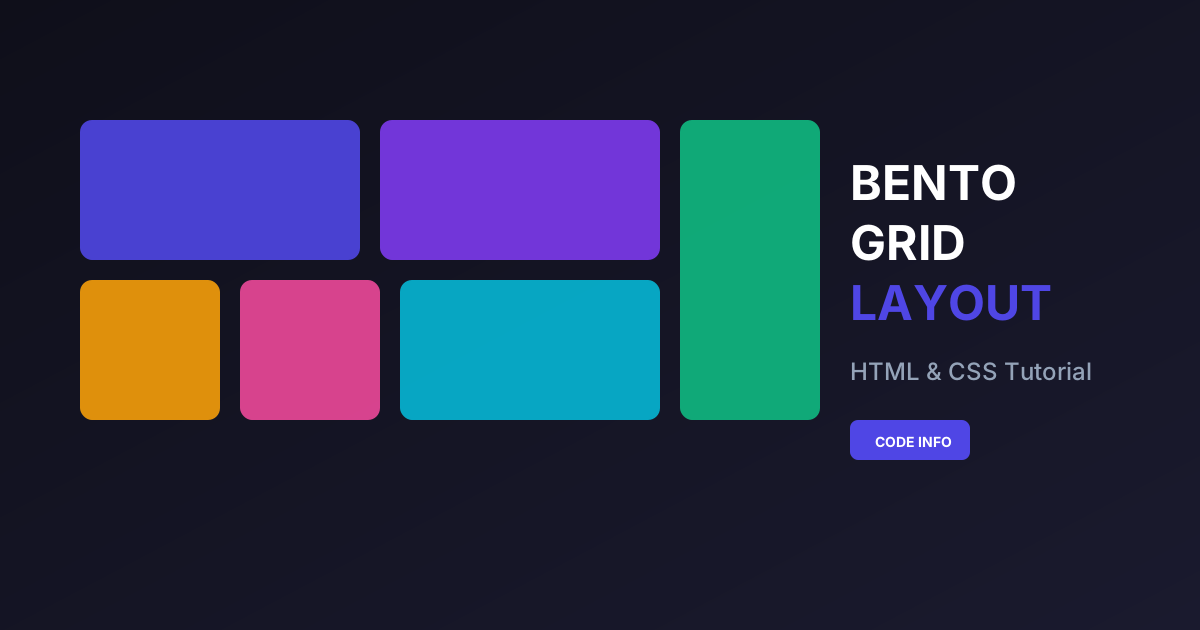
The Bento Grid Layout has become one of the most popular web design trends in 2025. Inspired by Japanese bento boxes, this layout style offers a clean, organized, and visually appealing way to showcase content. In this comprehensive tutorial, you will learn how to create a Bento Grid Layout with HTML and CSS from scratch.
What is a Bento Grid Layout?
A Bento Grid Layout is a modular design pattern that arranges content into distinct compartments, similar to how a traditional Japanese bento box organizes different food items. This layout has been popularized by major tech companies like Apple, Microsoft, and Linear, who use it extensively in their product showcases and landing pages.
The bento grid design is characterized by:
- Asymmetrical grid cells of varying sizes
- Clean visual hierarchy with clear content separation
- Modern aesthetic with rounded corners and subtle shadows
- Flexible content areas that can hold text, images, or interactive elements
Why Use Bento Grid Layout in Your Projects?
Before diving into the code, let's understand why the bento box layout CSS approach is so effective:
1. Better Visual Organization
Unlike traditional uniform grids, bento layouts allow you to emphasize important content by giving it larger grid cells while keeping secondary information in smaller compartments.
2. Improved User Experience
The clear separation between content blocks helps users scan and find information quickly, reducing cognitive load and improving engagement.
3. Modern and Trendy Appearance
The Apple-style bento grid has become synonymous with premium, modern design. Using this layout instantly gives your website a contemporary feel.
4. Highly Responsive
When built with CSS Grid, bento layouts naturally adapt to different screen sizes, making them perfect for responsive web design.
Prerequisites
To follow this bento grid layout tutorial, you should have basic knowledge of:
- HTML5 structure and semantic elements
- CSS fundamentals (selectors, properties, box model)
- Basic understanding of CSS Grid (we'll explain as we go)
Step-by-Step: Creating a Bento Grid Layout
Now let's build a beautiful responsive bento grid CSS layout. We'll create a modern dashboard-style layout that you can customize for your projects.
Step 1: Setting Up the HTML Structure
First, create your HTML file with the basic structure. Our bento grid will contain six items of varying sizes to create visual interest.
The HTML structure uses a container div with the class bento-grid that holds all our grid items. Each item has a specific class (item-1, item-2, etc.) that we'll use to control its size and position in the grid.
Step 2: Understanding the Grid Container
The magic of the bento grid CSS layout lies in the CSS Grid properties. We use display: grid along with grid-template-columns and grid-template-rows to create our layout structure.
Key CSS Grid properties used:
- grid-template-columns: Defines the column structure using
repeat()and1frunits - grid-template-rows: Sets up row heights with
autofor flexible sizing - gap: Creates consistent spacing between grid items
Step 3: Positioning Grid Items
Each grid item is positioned using grid-column and grid-row properties. This is where we create the characteristic asymmetrical bento layout:
- Item 1: Spans 2 columns, creating a wide header area
- Item 2: Takes a single cell for compact content
- Item 3: Spans 2 rows vertically for featured content
- Item 4: Standard single cell
- Item 5: Spans 2 columns at the bottom
- Item 6: Fills the remaining space
Step 4: Styling Individual Components
To achieve the modern bento box web design look, we apply these styling techniques:
- Border-radius: Rounded corners (12-16px) for a soft, modern appearance
- Background colors: Use subtle, complementary colors or gradients
- Shadows: Light box shadows for depth without being overwhelming
- Padding: Generous internal spacing for readability
Step 5: Making It Responsive
A crucial aspect of any modern bento grid layout is responsiveness. We use CSS media queries to adjust the grid structure for different screen sizes:
- Desktop (1024px+): Full 4-column layout
- Tablet (768px-1023px): 2-column layout
- Mobile (below 768px): Single column stack
Source Code
Below is the complete source code for creating a bento grid layout with HTML and CSS. Feel free to copy and customize it for your projects.
Customization Tips for Your Bento Grid
Color Schemes
You can easily modify the color scheme to match your brand. Here are some popular combinations:
- Dark mode: Use dark backgrounds (#1a1a2e, #16213e) with light text
- Pastel: Soft colors like #ffeaa7, #dfe6e9, #fab1a0
- Gradient: Apply subtle gradients for a premium look
Adding Hover Effects
Enhance interactivity by adding hover effects to your bento grid items:
Including Images and Icons
To add images to your bento grid:
Common Use Cases for Bento Grid Layout
The bento grid design pattern works exceptionally well for:
- Product Feature Showcases: Highlight different features with varying emphasis
- Portfolio Websites: Display projects in an organized, visually interesting way
- Dashboard Interfaces: Organize widgets and data visualizations
- Landing Pages: Create engaging hero sections and content blocks
- About Pages: Present team members or company information
- Pricing Tables: Modern alternative to traditional pricing cards
Browser Compatibility
The CSS Grid properties used in this bento layout tutorial are supported by all modern browsers:
- Chrome 57+
- Firefox 52+
- Safari 10.1+
- Edge 16+
For older browsers, consider using a CSS Grid polyfill or providing a flexbox fallback.
Performance Considerations
When implementing a bento grid layout CSS, keep these performance tips in mind:
- Optimize images: Use WebP format and lazy loading for images in grid cells
- Minimize repaints: Avoid animating layout properties like width/height
- Use CSS containment: Add
contain: layoutto grid items for better rendering performance
Frequently Asked Questions
What is the difference between Bento Grid and CSS Grid?
CSS Grid is the underlying technology, while Bento Grid is a design pattern that uses CSS Grid to create asymmetrical, compartmentalized layouts inspired by Japanese bento boxes.
Can I create a Bento Grid without CSS Grid?
While possible with Flexbox or floats, CSS Grid provides the most elegant solution for bento layouts due to its two-dimensional layout capabilities and easy item positioning.
How do I make Bento Grid items equal height?
CSS Grid automatically handles equal heights within rows. Use align-items: stretch on the container if needed.
Is Bento Grid Layout SEO-friendly?
Yes! The semantic HTML structure combined with proper heading hierarchy makes bento grid layouts fully SEO-friendly. Search engines can easily crawl and understand the content structure.
Can I use Bento Grid with React or Vue?
Absolutely! The HTML and CSS patterns shown in this tutorial work seamlessly with any JavaScript framework. Simply apply the same CSS classes to your component elements.
Conclusion
The Bento Grid Layout is a powerful design pattern that combines aesthetics with functionality. By using CSS Grid, you can create stunning, responsive layouts that organize content in an visually appealing way.
In this tutorial, you learned:
- What bento grid layout is and why it's trending
- How to structure HTML for bento grids
- CSS Grid techniques for creating asymmetrical layouts
- Responsive design strategies
- Customization and optimization tips
Now it's your turn to experiment with the code and create your own unique bento grid designs. Try different color schemes, add animations, and adapt the layout to your specific needs.
You May Also Like
- Create a Beautiful Dashboard Design with HTML and CSS
- Responsive Cards with HTML and CSS
- CSS Grid Layout Tutorial for Beginners
- Modern Website UI Design with HTML and CSS
If you found this bento grid layout tutorial helpful, please share it with your fellow developers and subscribe to Code Info for more web development tutorials and tips.