Oct 26, 20212 min read

How to create Profile Data Card with HTML and CSS

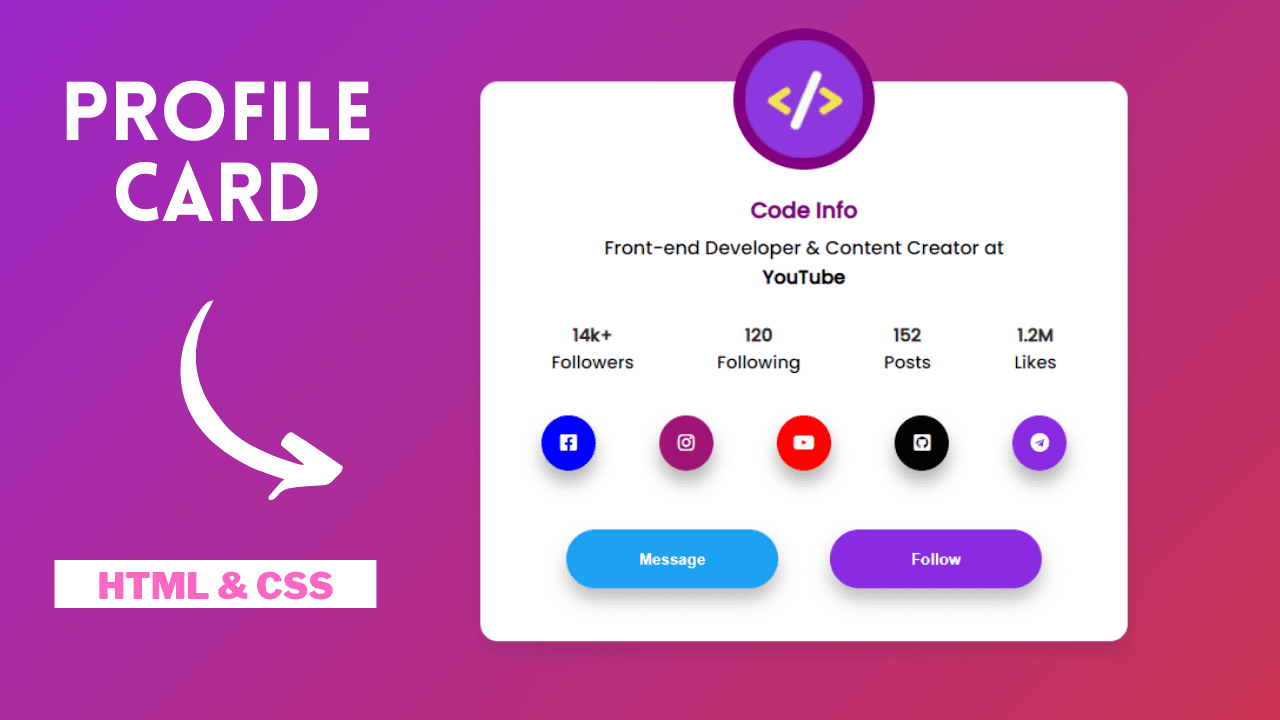
Create a profile data card with HTML and CSS. Build modern user profile cards with photos, social stats, and responsive layouts.

How to create Profile Data Card with HTML and CSS

In this article, you will learn how to create Profile data Card using only HTML & CSS. Earlier in this blog, I have shared a couple of simple Card Design, but here in this blog, I am going to create Profile Data Card only with HTML and CSS. Apart from this, I have shared many Card design in my blog. Please make sure to check those as well.

Website card is a powerful manner to give your enterprise details, multi function location, optimized for cell devices. As you are probable conscious, internet access from cell devices surpassed computing device about few years ago, so it's miles more essential than ever for corporations to have a cell-pleasant presence. Internet cards provide a convenient way to archive this.

Source Code:

If you like this Profile Data Card design , then feel free to use it in your project. Copy the code by clicking on Copy button provided below. First, you have to create two files. One of them is HTML, and the other one is CSS. After creating the files, paste the code provided below.

HTML CODE:

Profile Data Card
1<!DOCTYPE html>
2<html lang="en">
3<head>
4 <meta charset="UTF-8">
5 <meta http-equiv="X-UA-Compatible" content="IE=edge">
6 <meta name="viewport" content="width=device-width, initial-scale=1.0">
7 <title>Data Card | By Code Info</title>
8 <link rel="stylesheet" href="style.css" />
9 <script src="https://kit.fontawesome.com/a076d05399.js"></script>
10</head>
11<body>
12 <div class="wrapper">
13 <div class="img-logo">
14 <img src="pic/Logo.png">
15 </div>
16 <h3>Code Info</h3>
17 <p>Front-end Developer & Content Creator at <br>
18 <b>YouTube</b>
19 </p>
20
21 <div class="media-info">
22 <ul>
23 <li>
24 <span>14k+</span> Followers
25 </li>
26 <li>
27 <span>120</span> Following
28 </li>
29 <li>
30 <span>152</span> Posts
31 </li>
32 <li>
33 <span>1.2M</span> Likes
34 </li>
35 </ul>
36 </div>
37 <div class="icons">
38 <a href="#"><i class="fab fa-facebook-square"></i></a>
39 <a href="#"><i class="fab fa-instagram"></i></a>
40 <a href="#"><i class="fab fa-youtube"></i></a>
41 <a href="#"><i class="fab fa-github-square"></i></a>
42 <a href="#"><i class="fab fa-telegram"></i></a>
43 </div>
44 <div class="btn">
45 <button>Message</button>
46 <button>Follow</button>
47 </div>
48 </div>
49</body>
50</html>

I hope you liked this snippet. If so, please share the blog and follow us in our social media profiles and stay connected with this blog. Thank you for visiting.