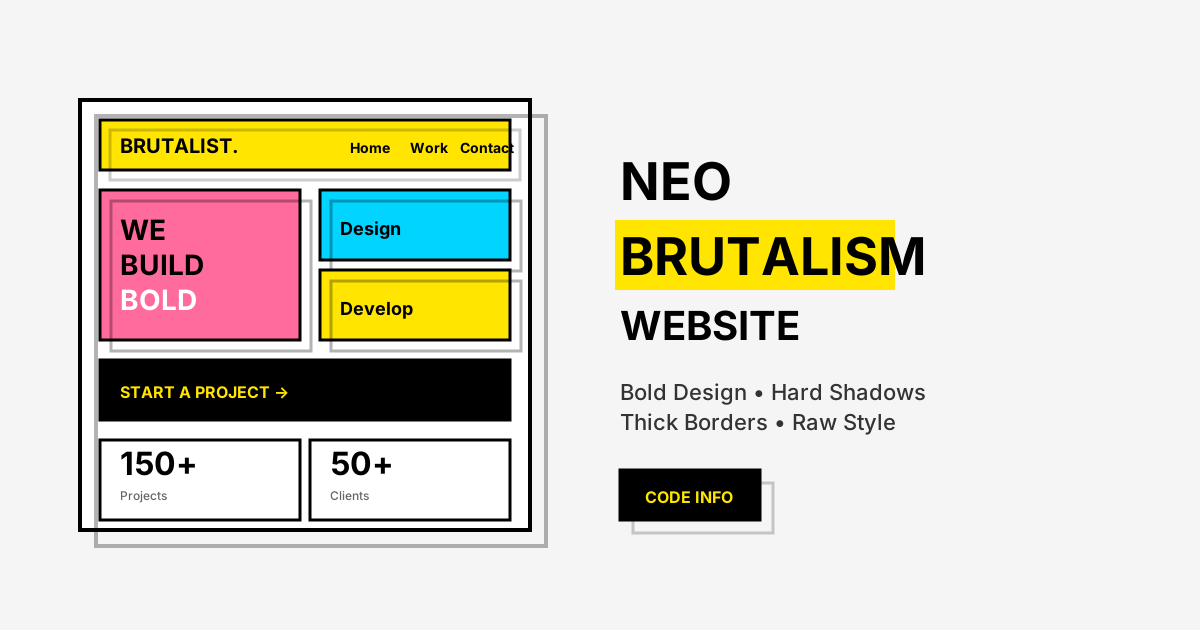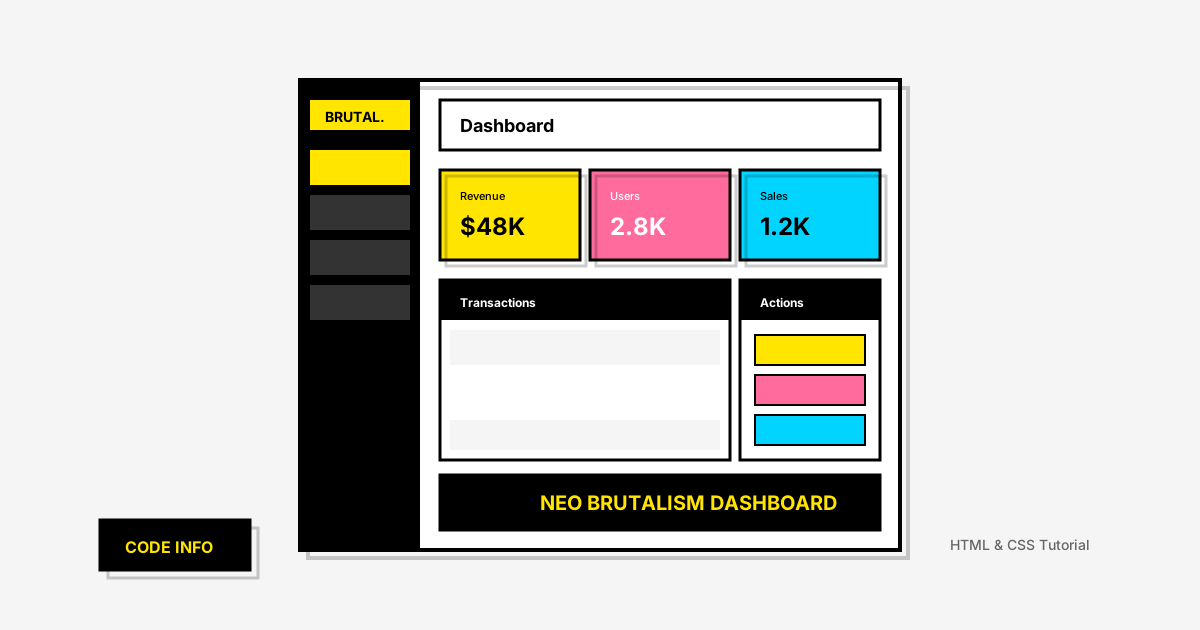
Neo Brutalism dashboards combine the bold, raw aesthetic of brutalist design with functional admin interfaces. This unique style has gained popularity among SaaS products, analytics platforms, and creative tools looking to stand out. In this tutorial, you'll learn how to create a Neo Brutalism dashboard with HTML and CSS featuring stats cards, navigation, and a modern layout.
What is a Neo Brutalism Dashboard?
A Neo Brutalism dashboard applies the distinctive brutalist design principles to admin interfaces and data visualization. Unlike traditional dashboards with subtle gradients and soft shadows, neo brutalist dashboards embrace bold contrasts, hard edges, and vibrant colors while maintaining excellent usability.
Key characteristics of a brutalist dashboard include:
- High-contrast color blocks for different sections
- Hard shadows (no blur) on cards and components
- Thick black borders defining every element
- Bold typography for headings and stats
- Asymmetrical layouts that break conventional grid patterns
- Visible structural elements like dividers and borders
Why Choose Neo Brutalism for Dashboards?
The brutalist admin panel style offers unique advantages:
1. Information Hierarchy
The bold visual treatment naturally creates strong hierarchy. Important metrics stand out immediately through color and size contrast.
2. Memorable Brand Identity
A neo brutalist dashboard instantly differentiates your product from competitors using generic UI kits.
3. Reduced Visual Noise
The stark, honest design eliminates unnecessary decoration, letting users focus on data and actions.
4. Performance Benefits
CSS-based styling without complex graphics or animations means faster load times and smoother interactions.
Dashboard Components We'll Build
Our responsive neo brutalism dashboard includes:
- Sidebar navigation with icons
- Header with search and user profile
- Stats/KPI cards with hard shadows
- Activity feed section
- Quick actions panel
- Recent transactions table
- Progress indicators
Step 1: Setting Up the Dashboard Layout
Create the basic HTML structure with a sidebar and main content area using CSS Grid.
Step 2: Creating the Sidebar Navigation
Build a fixed sidebar with bold navigation items that feature the brutalist hover effect.
Step 3: Building Stats Cards with Hard Shadows
Create KPI cards featuring the signature neo brutalist shadow and thick borders.
Step 4: Styling Data Tables
Apply brutalist aesthetics to data tables with visible borders and bold headers.
Step 5: Adding Interactive Elements
Create buttons and form inputs that maintain the raw brutalist aesthetic with snappy transitions.
Design Principles for Brutalist Dashboards
Color Strategy
For effective neo brutalism UI design, use a strategic color palette:
| Element | Color | Purpose |
|---|---|---|
| Primary | #FFE500 | CTAs, highlights, active states |
| Secondary | #FF6B9D | Alerts, notifications |
| Accent | #00D4FF | Links, secondary actions |
| Success | #4ADE80 | Positive metrics, confirmations |
| Warning | #FBBF24 | Caution states |
| Background | #F5F5F5 | Page background |
| Cards | #FFFFFF | Content containers |
| Borders | #000000 | All borders and shadows |
Shadow System
The signature brutalist shadow uses zero blur:
Border Treatment
Consistent thick borders define the brutalist aesthetic:
Building the Dashboard Layout
Sidebar Navigation
The sidebar uses a fixed position with bold section dividers:
Stats Cards
KPI cards feature the characteristic hard shadow:
Data Tables
Tables maintain the brutalist aesthetic with visible borders:
Responsive Considerations
The responsive brutalist dashboard adapts to different screen sizes:
Desktop (1200px+)
- Full sidebar visible
- Multi-column stats grid
- Complete data tables
Tablet (768px - 1199px)
- Collapsible sidebar
- 2-column stats grid
- Horizontal scrolling tables
Mobile (below 768px)
- Hidden sidebar with hamburger menu
- Single column layout
- Simplified stats cards
- Stacked table rows
Interactive Elements
Buttons
Brutalist buttons feature distinctive hover states:
Form Inputs
Input fields maintain the raw aesthetic:
Toggle Switches
Custom toggles with brutalist styling:
Dashboard Widgets
Progress Bars
Notification Badges
Status Indicators
Performance Optimization
The neo brutalism dashboard CSS is inherently performant:
Minimal Asset Requirements
- No gradient images needed
- No icon fonts required (SVG inline works great)
- No complex CSS filters
Efficient Animations
- Use
transformfor hover effects (GPU accelerated) - Keep transitions under 200ms for snappy feel
- Avoid animating
box-shadowdirectly
CSS Custom Properties
Accessibility Considerations
Despite the bold aesthetics, maintain accessibility:
Color Contrast
- Black text on yellow (#FFE500) passes WCAG AA
- Use white text on black backgrounds
- Test all combinations with contrast checkers
Focus States
Keyboard Navigation
- Ensure all interactive elements are focusable
- Maintain logical tab order
- Provide skip links for sidebar navigation
Use Cases for Brutalist Dashboards
Neo brutalism admin panels work well for:
- Analytics platforms - Bold data visualization
- Creative tools - Match artistic brand identity
- Developer tools - Raw, functional aesthetic
- Startup MVPs - Stand out with unique design
- Portfolio backends - Showcase design skills
- Gaming platforms - Energetic, bold feel
Frequently Asked Questions
Is neo brutalism suitable for enterprise dashboards?
Neo brutalism can work for enterprise if your brand aligns with bold, modern aesthetics. It's particularly effective for creative industries, tech startups, and products targeting younger demographics. Traditional enterprises may prefer more conservative designs.
How do I make brutalist dashboards accessible?
Ensure high color contrast (brutalism naturally provides this), proper focus states, keyboard navigation, and screen reader compatibility. The bold borders and clear visual hierarchy actually improve accessibility for many users.
Can I combine neo brutalism with data visualization?
Yes! Charts and graphs can adopt brutalist styling with thick borders, bold colors, and hard-edged shapes. Avoid 3D effects and gradients in charts to maintain the aesthetic.
What fonts work best for brutalist dashboards?
Bold, geometric sans-serif fonts work best. Consider Inter, Space Grotesk, Archivo Black, or Bebas Neue for headings. Monospace fonts like JetBrains Mono work well for data and code.
How do I handle dark mode in brutalist design?
Invert the palette: use dark backgrounds with bright accent colors. Maintain the black borders but consider using white or colored shadows for depth on dark backgrounds.
Conclusion
Neo Brutalism dashboards offer a bold alternative to conventional admin interfaces. The combination of hard shadows, thick borders, and vibrant colors creates memorable, functional designs that stand out.
Key takeaways:
- Hard shadows (0 blur) define cards and components
- Thick black borders create clear visual structure
- Bold color blocks improve information hierarchy
- Responsive design maintains impact on all devices
- Performance benefits from CSS-only styling
Use this dashboard as a foundation and customize the colors to match your brand identity.
Related Tutorials
- Neo Brutalism Website with HTML and CSS
- Bento Grid Layout with HTML and CSS
- Create a Beautiful Dashboard Design
- Admin Dashboard with HTML and CSS
If this neo brutalism dashboard tutorial helped you, share it with your fellow developers and follow Code Info for more web design tutorials!